Connect. Control. Secure.
Connect. Control. Secure.
The Barracuda App Server (BAS) is a versatile C library that can be integrated into various devices and programs, from small ASIC-powered RTOS devices to Windows and cloud applications. To help you get started with the BAS library, two ready-to-use reference builds are provided:
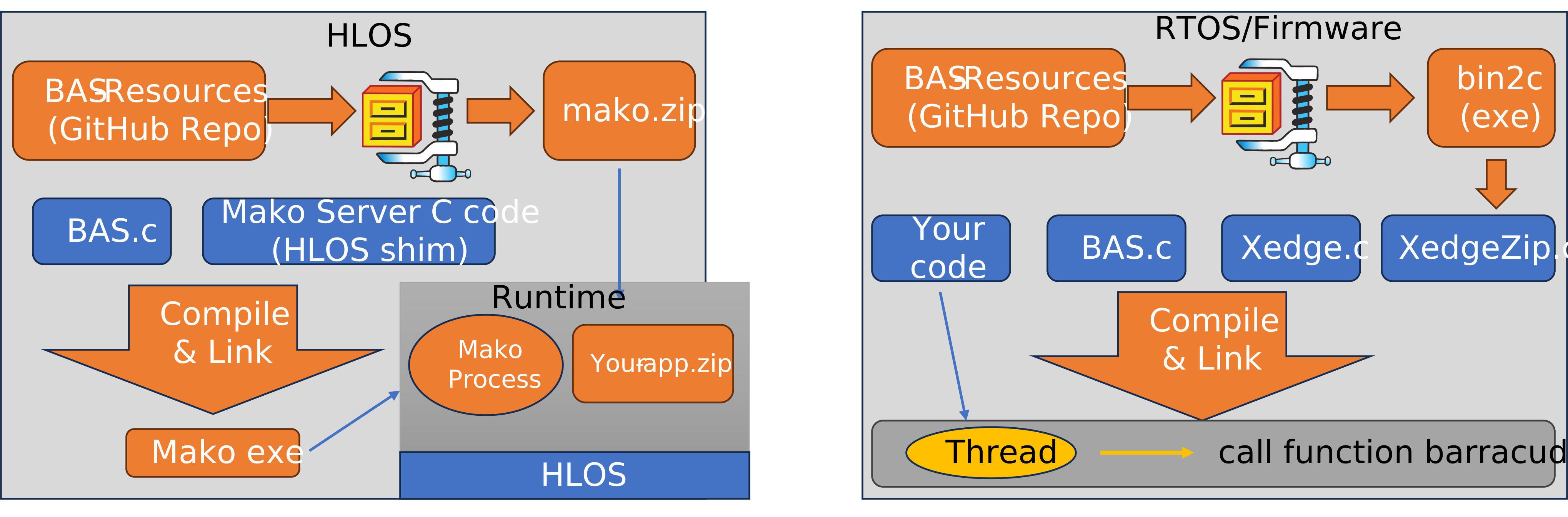
These two reference builds simplify the integration of BAS, allowing you to leverage its capabilities in different environments easily without having to study the extensive C APIs. See the video below for details on how to compile and use the server.
A source code evaluation version can be downloaded from GitHub. We also offer pre-compiled downloads for high-level operating systems (HLOS) with accompanying tutorials. The HLOS versions use a standalone server called the Mako Server. For RTOS, we provide ready-to-use build projects for the ESP32.MX RT1020, and STM32F7 platforms, which include a development tool called Xedge.
We recommend starting by downloading a pre-compiled Mako Server for your host operating system and running the included tutorials, or try out Xedge32 if you plan on using an RTOS. We also have many examples available on GitHub. If you have any issues with downloading, extracting, or running the server and tutorials, please don't hesitate to contact us for assistance.
Not every project starts with an RTOS. You may be targeting Windows, Linux, macOS, or embedded Linux, or you may simply want to understand Barracuda App Server technology before integrating it into firmware.
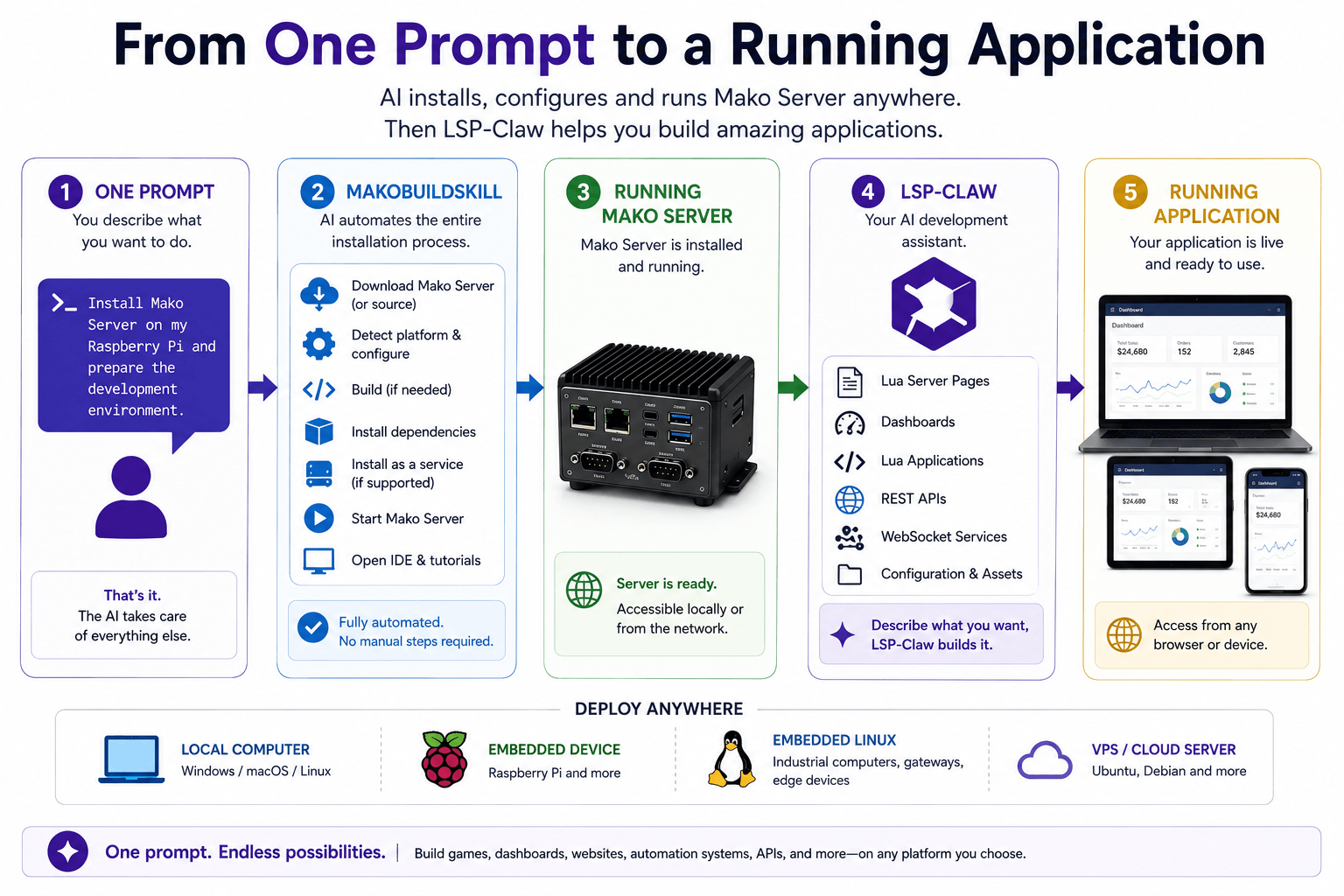
The Mako Server Developer Edition provides the fastest path to learning and experimenting with BAS. Mako Server is built on the same Barracuda App Server engine, enabling you to explore Lua Server Pages, REST APIs, WebSockets, databases, IoT protocols, and embedded web application development without first configuring an RTOS toolchain.
The Developer Edition also includes several AI-assisted development tools designed to accelerate installation, learning, prototyping, and application development. Its LSP-Claw integration gives an AI coding agent a controlled BAS development environment in which it can create applications, run them, inspect server trace output, and correct errors.
Whether your final target is an RTOS, embedded Linux, Windows, or another high-level operating system, the Mako Server Developer Edition is the quickest way to become productive with the Barracuda App Server.